myMTN App — Redesigning Ghana's National Telecom Experience.
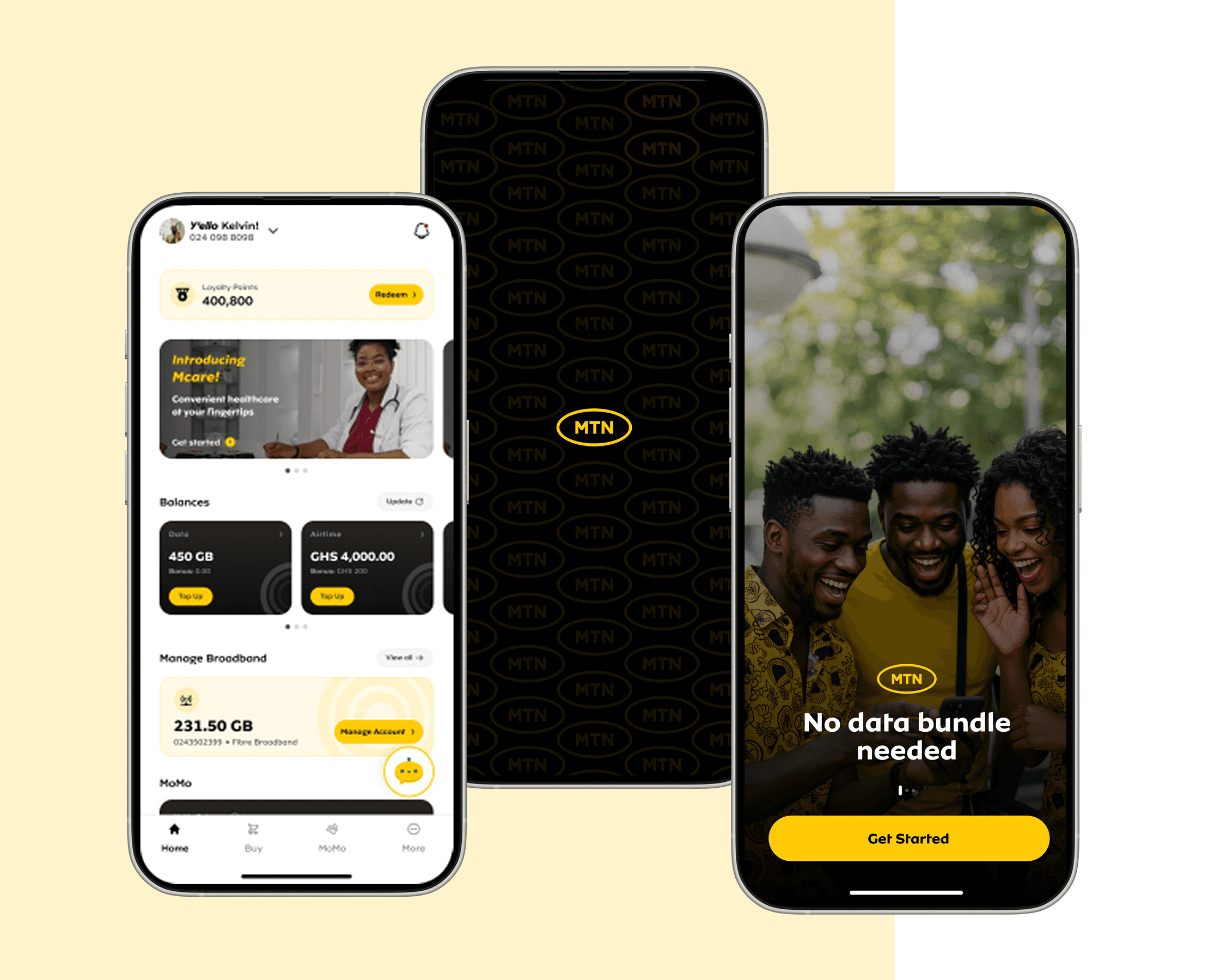
Background
The myMTN app is a self-service mobile application developed by MTN, Ghana's biggest telecom provider. It allows users to manage their MTN accounts conveniently from their smartphones. Key features include:
- Buy, share, or borrow airtime and data bundles.
- Check balances, usage history, and subscriptions.
- Pay postpaid bills, utilities, and other services.
- Access personalized offers, loyalty rewards, and promotions.
- Chat with support, locate service centers, and submit requests.
The
Problem
As the primary digital channel where users can manage their MTN accounts and access products and services remotely, the myMTN app didn't give users the best experience in terms of usability and accessibility. This led to low user engagement, adoption, and retention. We had excessive complaints on the app, with low numbers in KPI and revenue.
Specific goals
- Increase user engagement
- Decrease time spent on key journeys
- Improve UI for better usability and aesthetics
- Improve information architecture
Focus metrics
- Time-On-Task
- Task Success Rate
- Improve MAU
- Improve app revenue
Solutions
Problem
Users find the journey on the USSD channels more straightforward and intuitive that the app journeys.
Most users use USSD, even if they have the app installed.
Solution
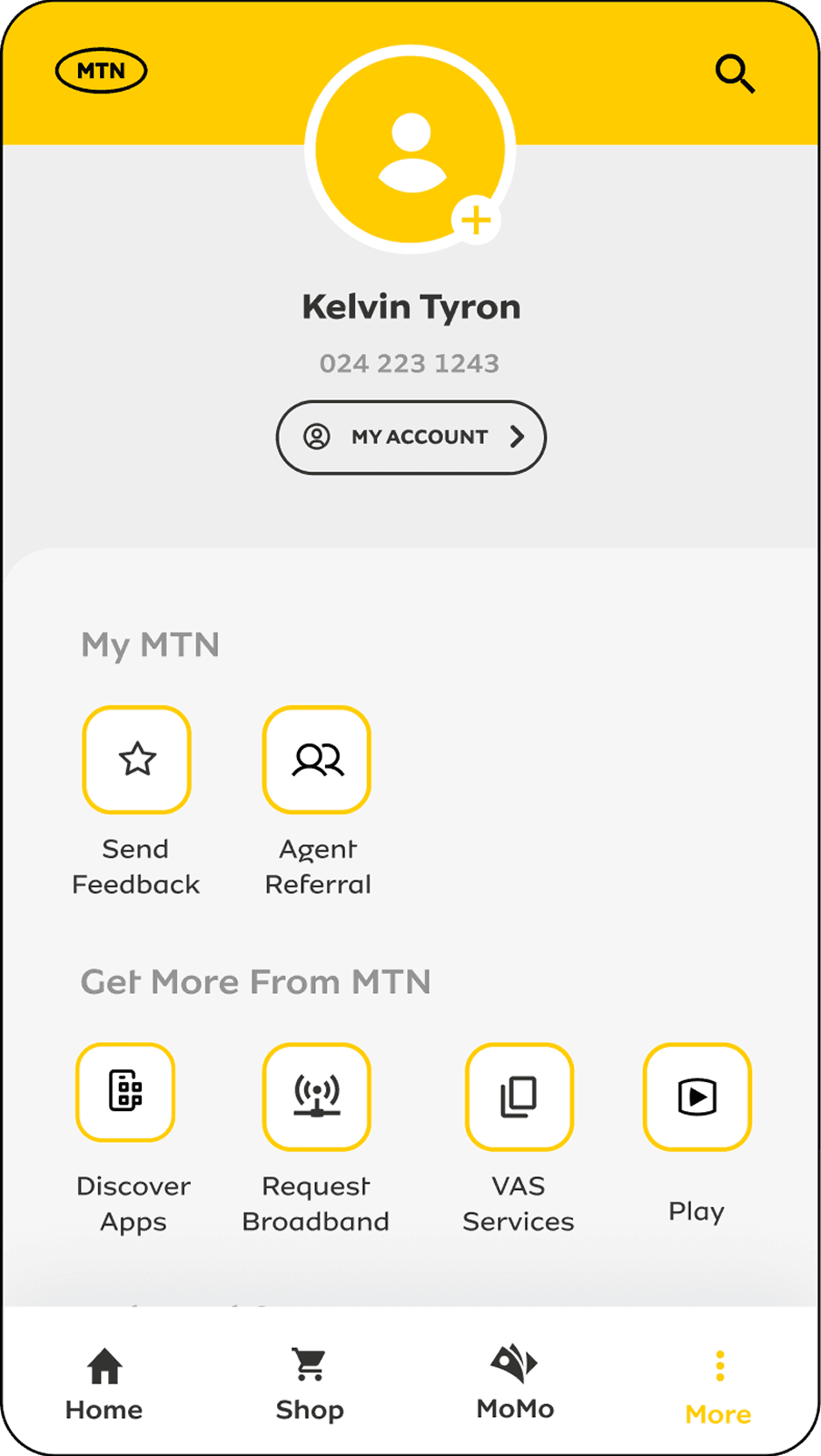
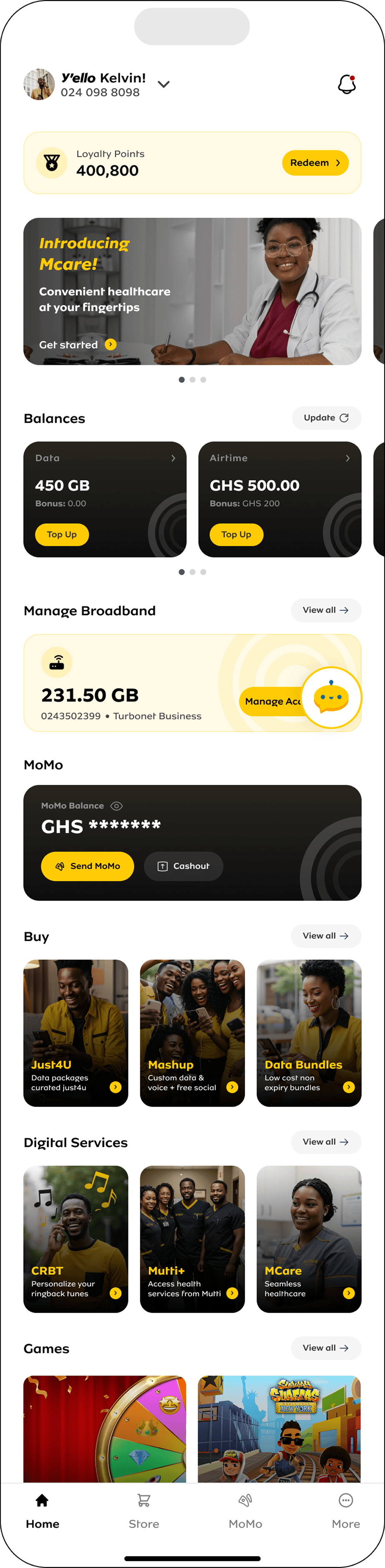
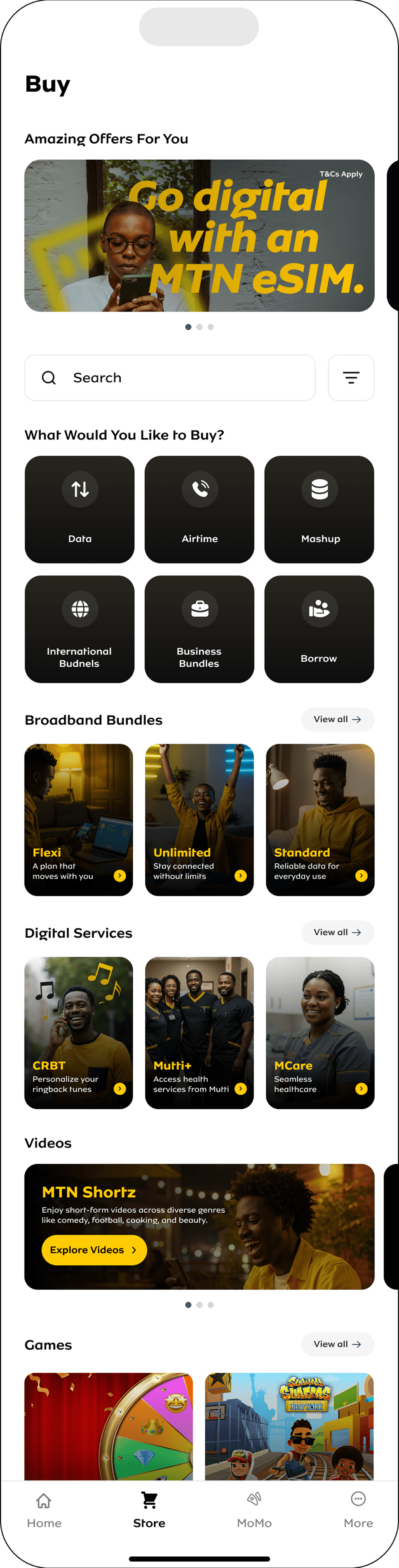
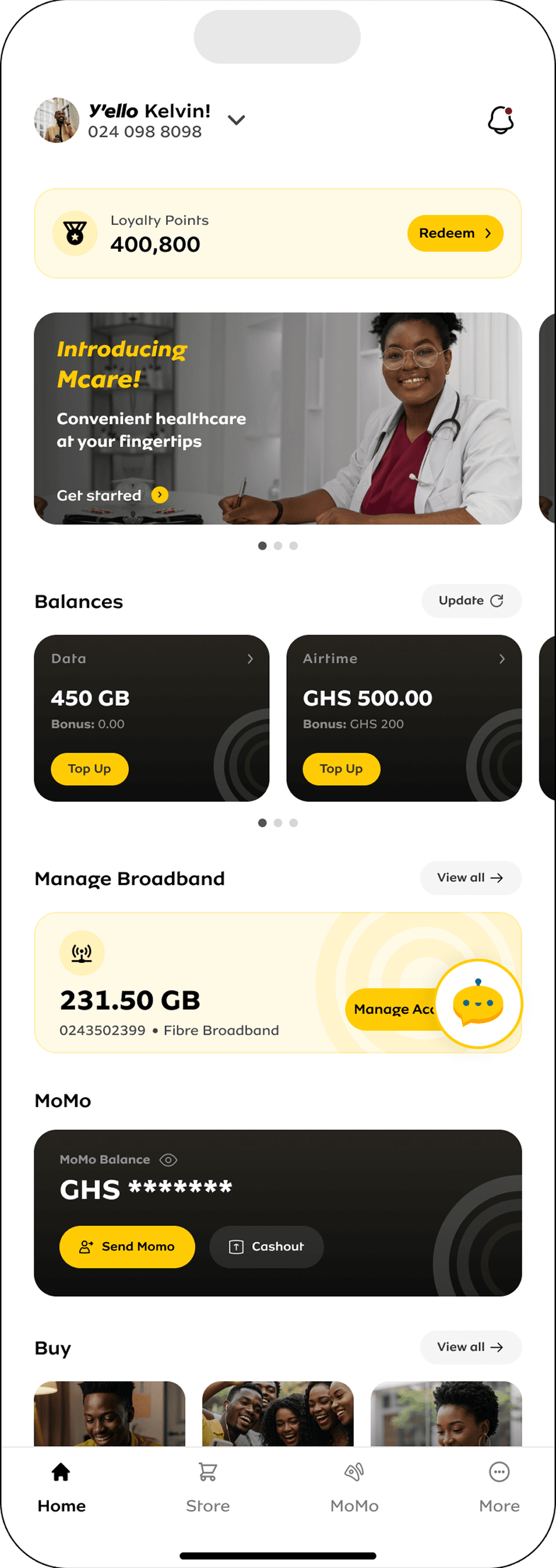
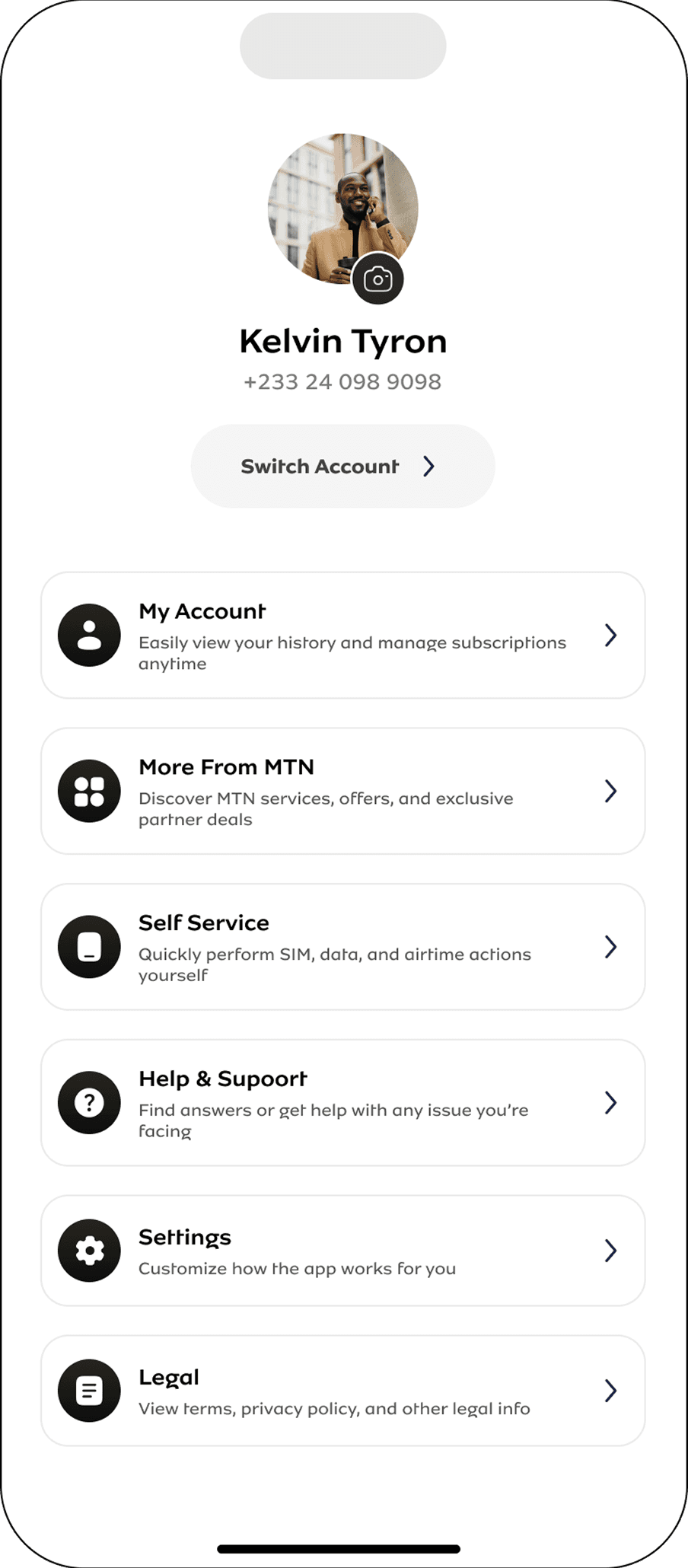
We couldn't take that sentiment, so we set out to redesign the entire interface and journeys in the app.
We brought key actions like balance top-up to the homepage so users could easily access it.
We consolidated some of the steps for purchasing airtime and bundles on one page so users have less taps, which led to less time spent.
Old Interface
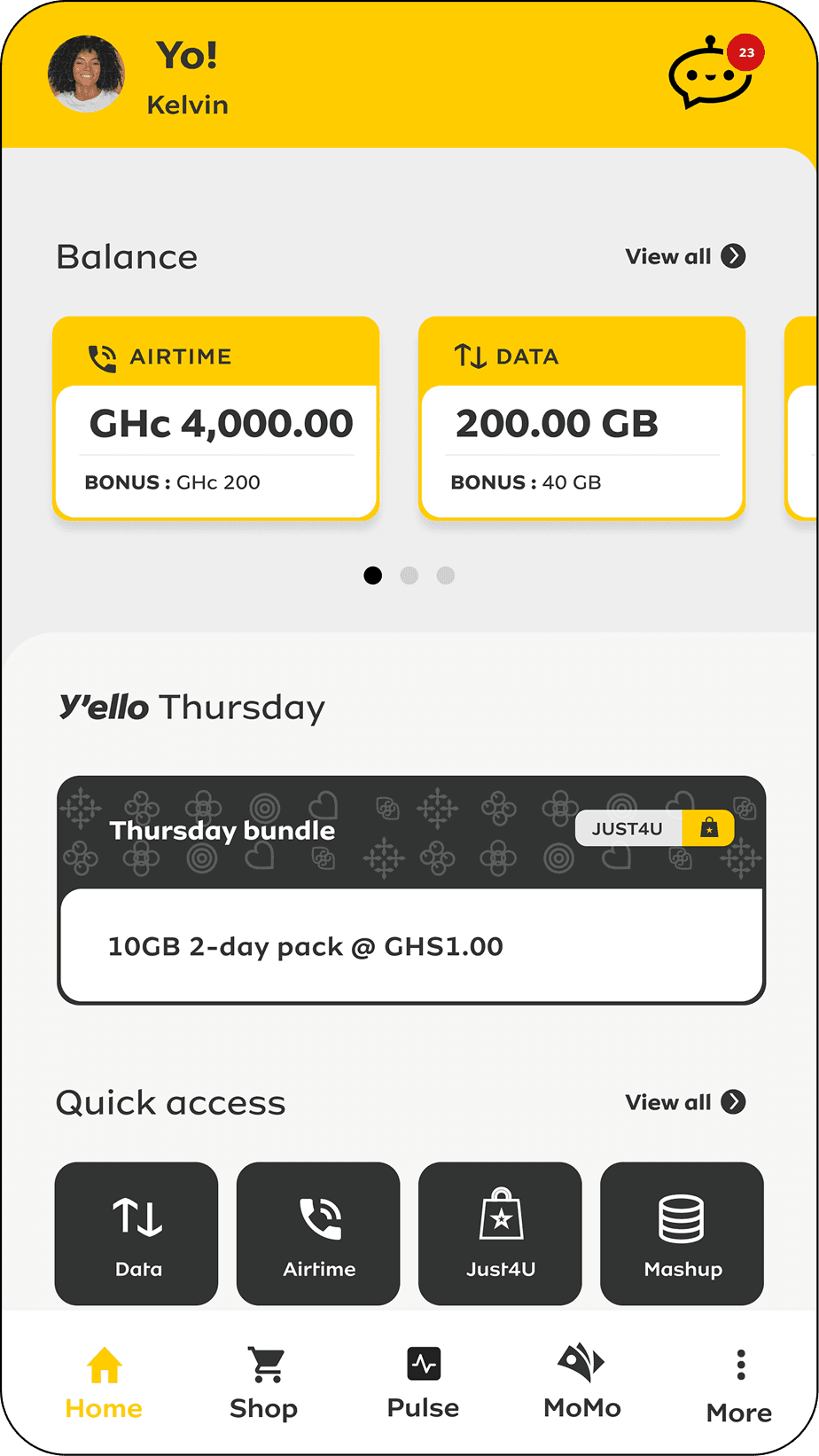
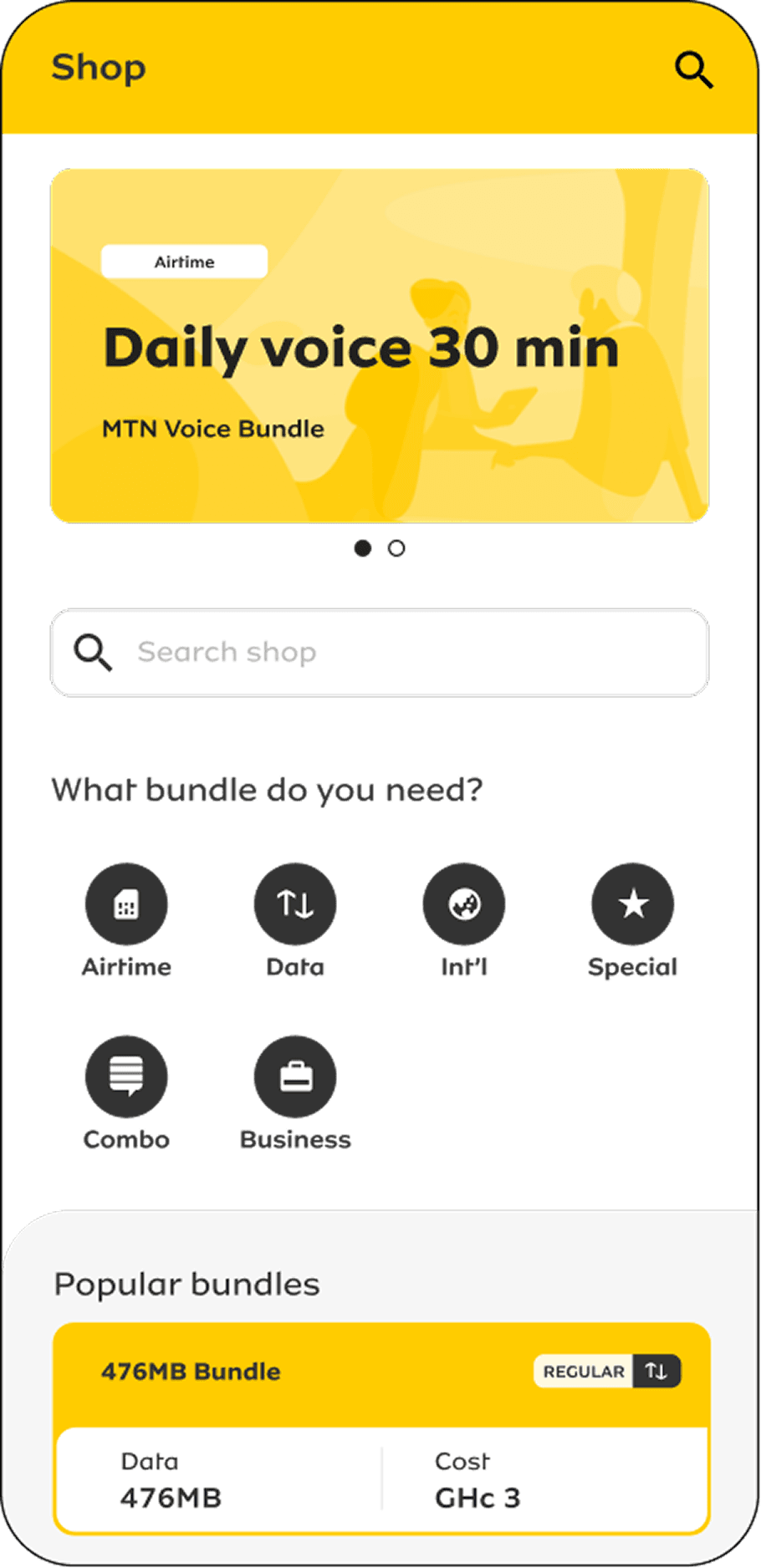
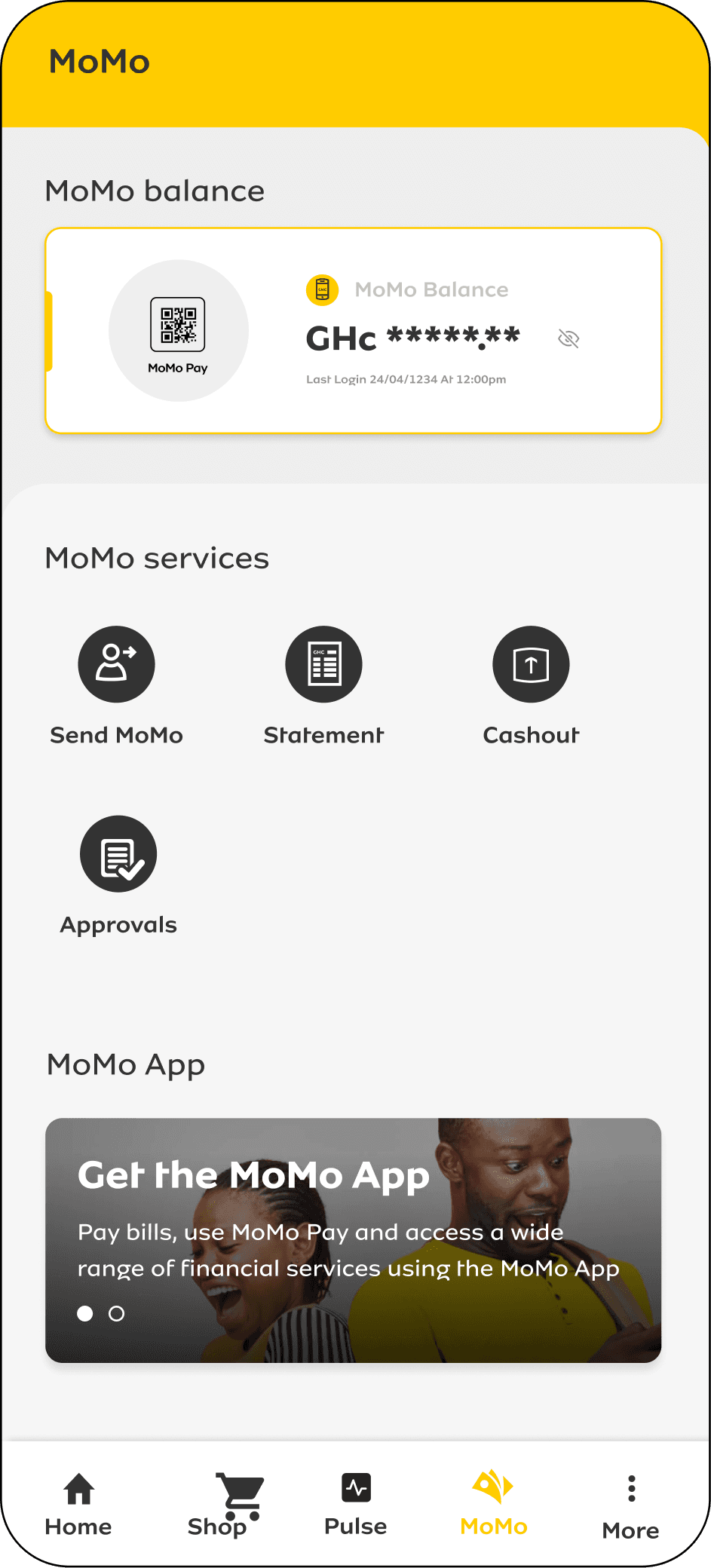
New Interface
Problem
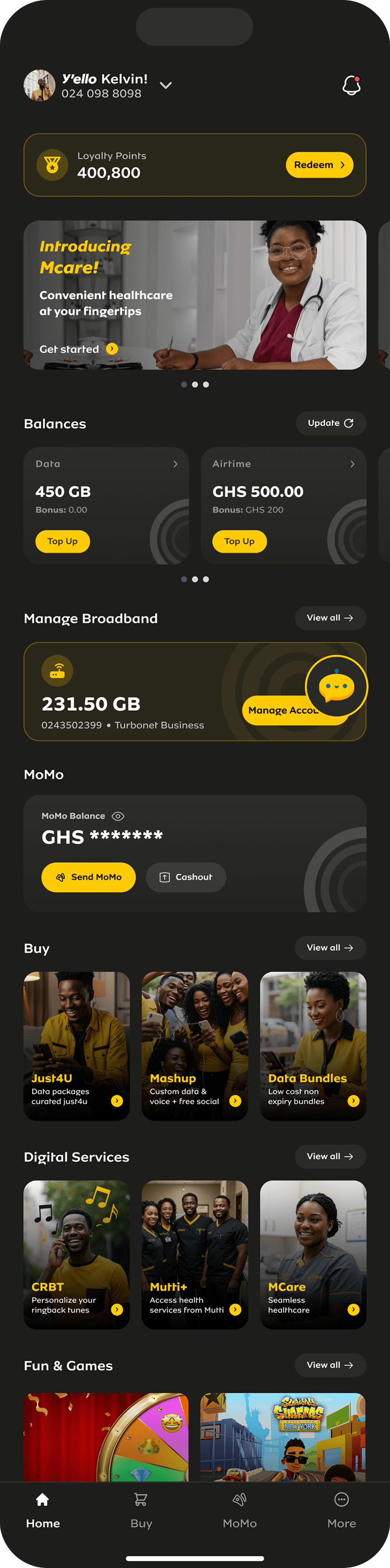
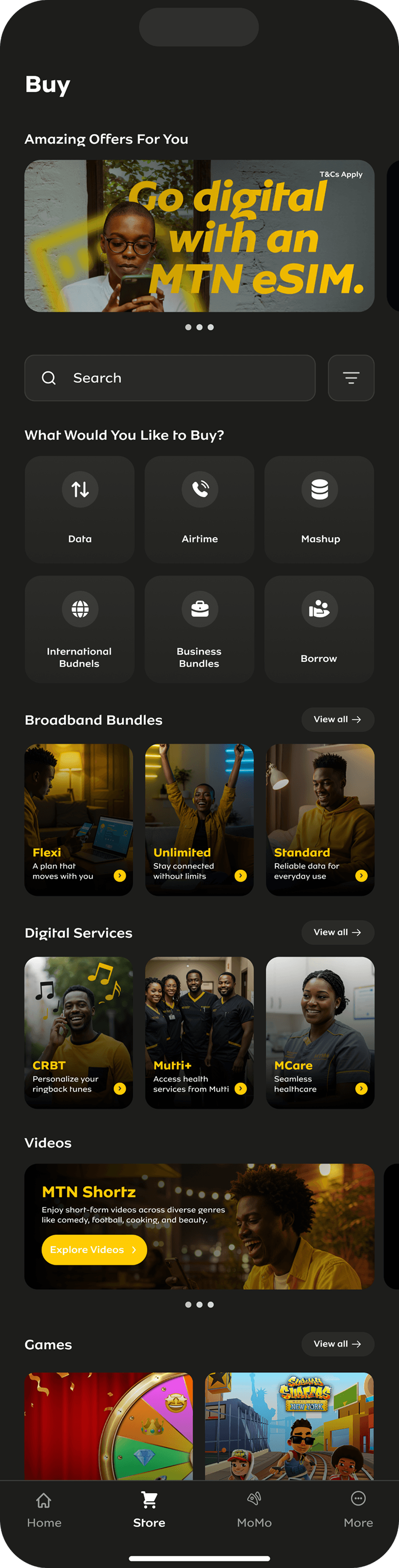
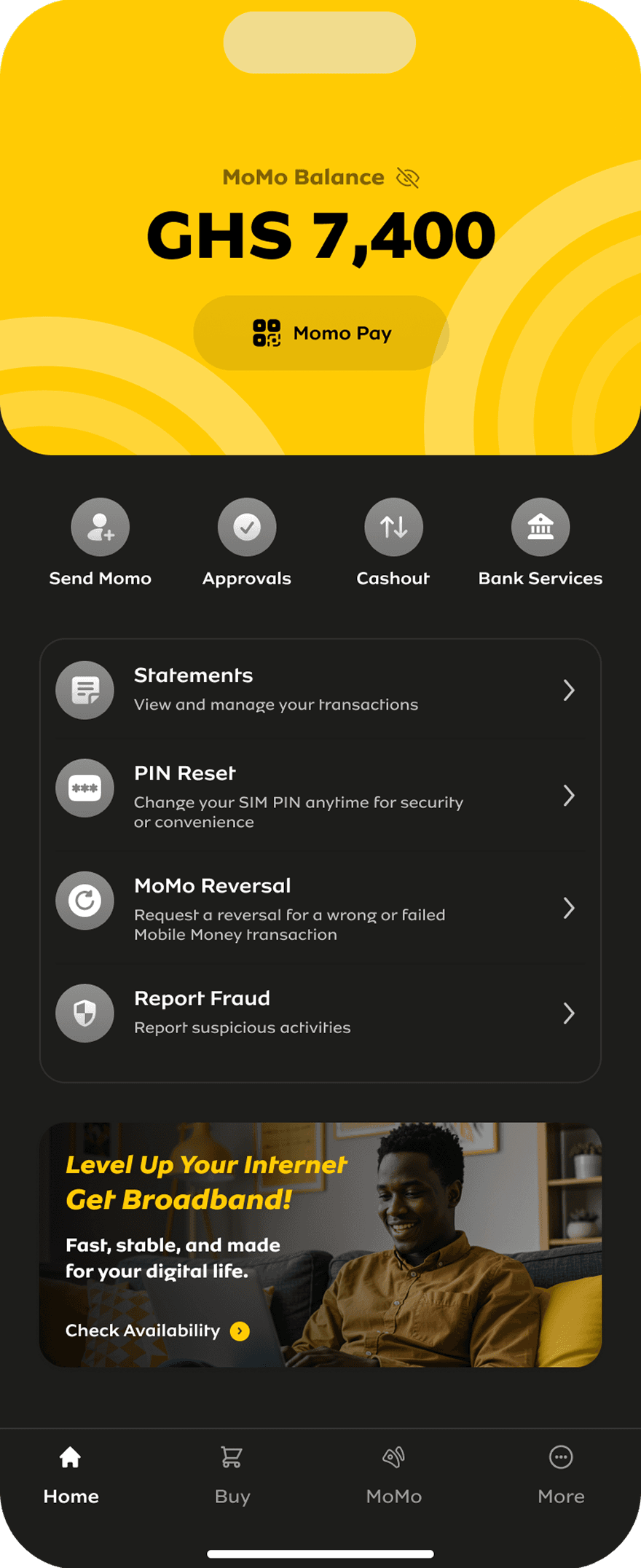
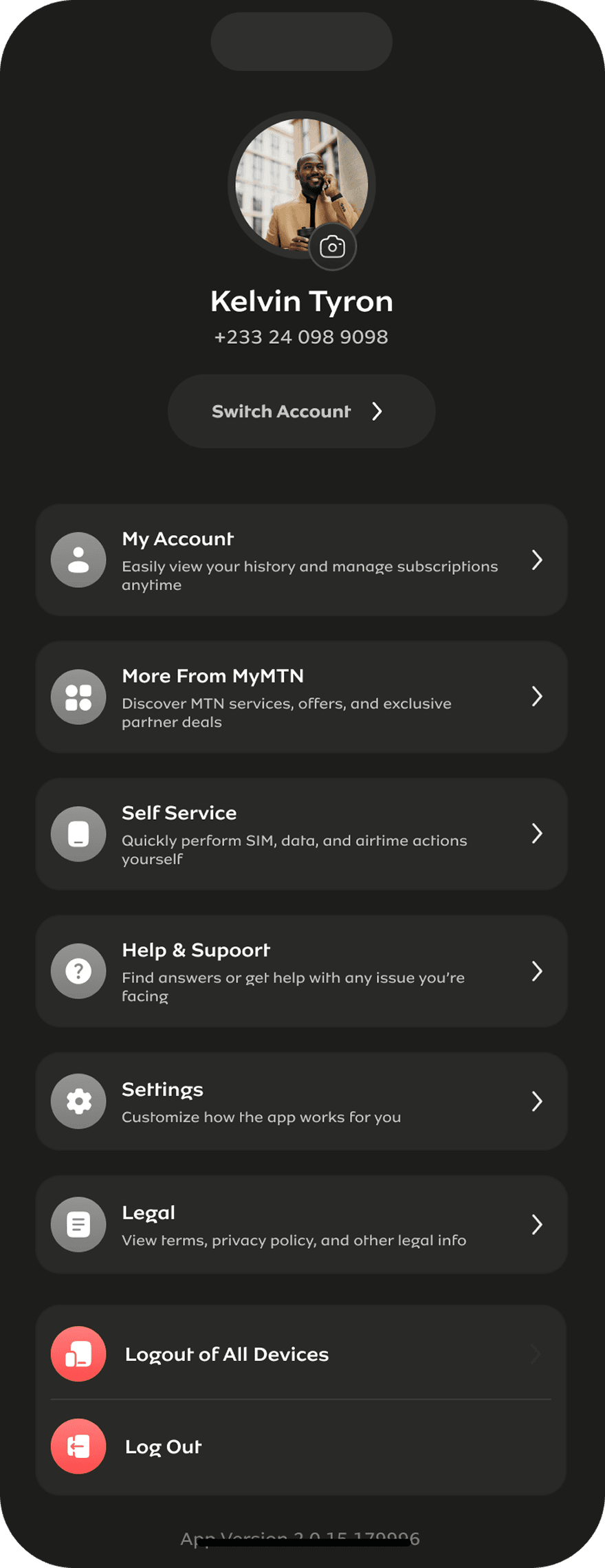
One of the most asked for features by users was a dark mode version they could switch to.
Solution
We delivered a sleek, functional dark mode
Research & Discovery
Specific issues we discovered with the app
Users want to login, send money, and perform other transactions faster and quickly but due to OTP delays and other issues, they resort to USSD.
Users were having a hard time locating some features on the app. Other times, they were not aware at all that some features exist on the app
Users find the journey on the USSD channels more straightforward and intuitive than the app journeys.
How we discovered them
- Analytics review
- Surveys and questionnaires
- A/B testing
- Focus groups
- Interviews
- Field studies
- Usability testing
- Heuristic evaluation
How exactly I help 💪🏾
During the research sessions we have, my role is to:
- Recruit participants
- Review research plan and interview protocol from design team
- Conduct interviews - one on one and focus groups
- Create surveys
- Review research reports from design team
- Translate research results into design and development user stories for design and dev team
The Impact
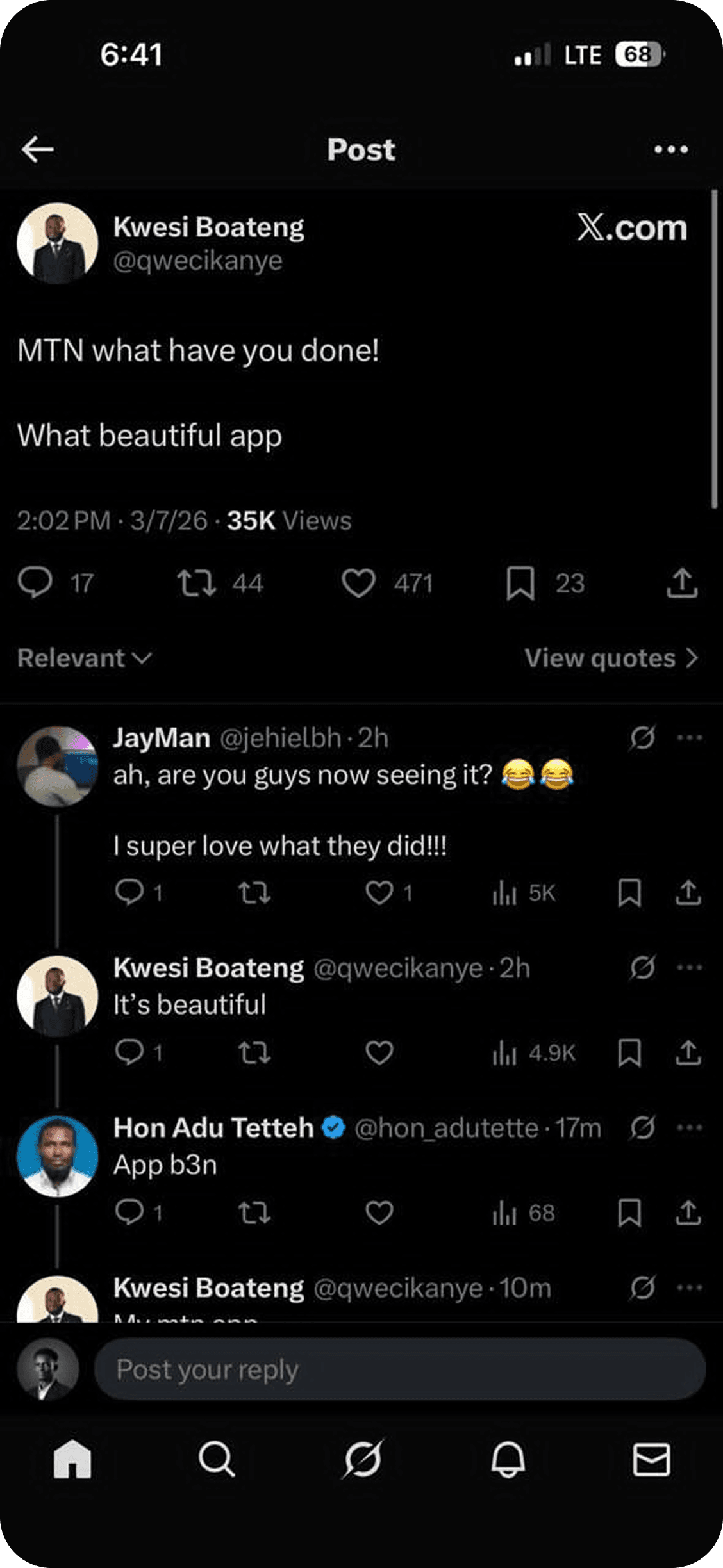
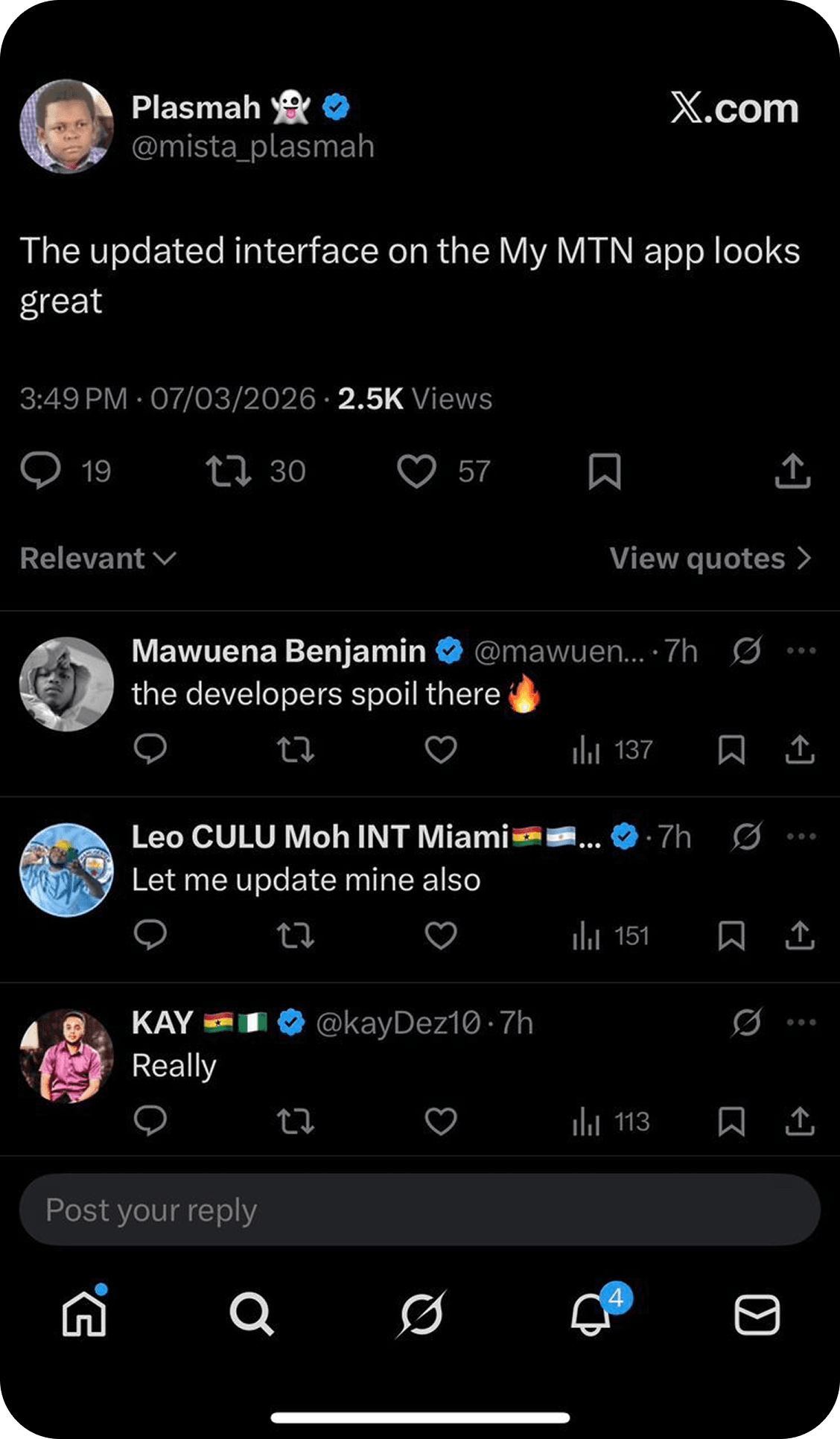
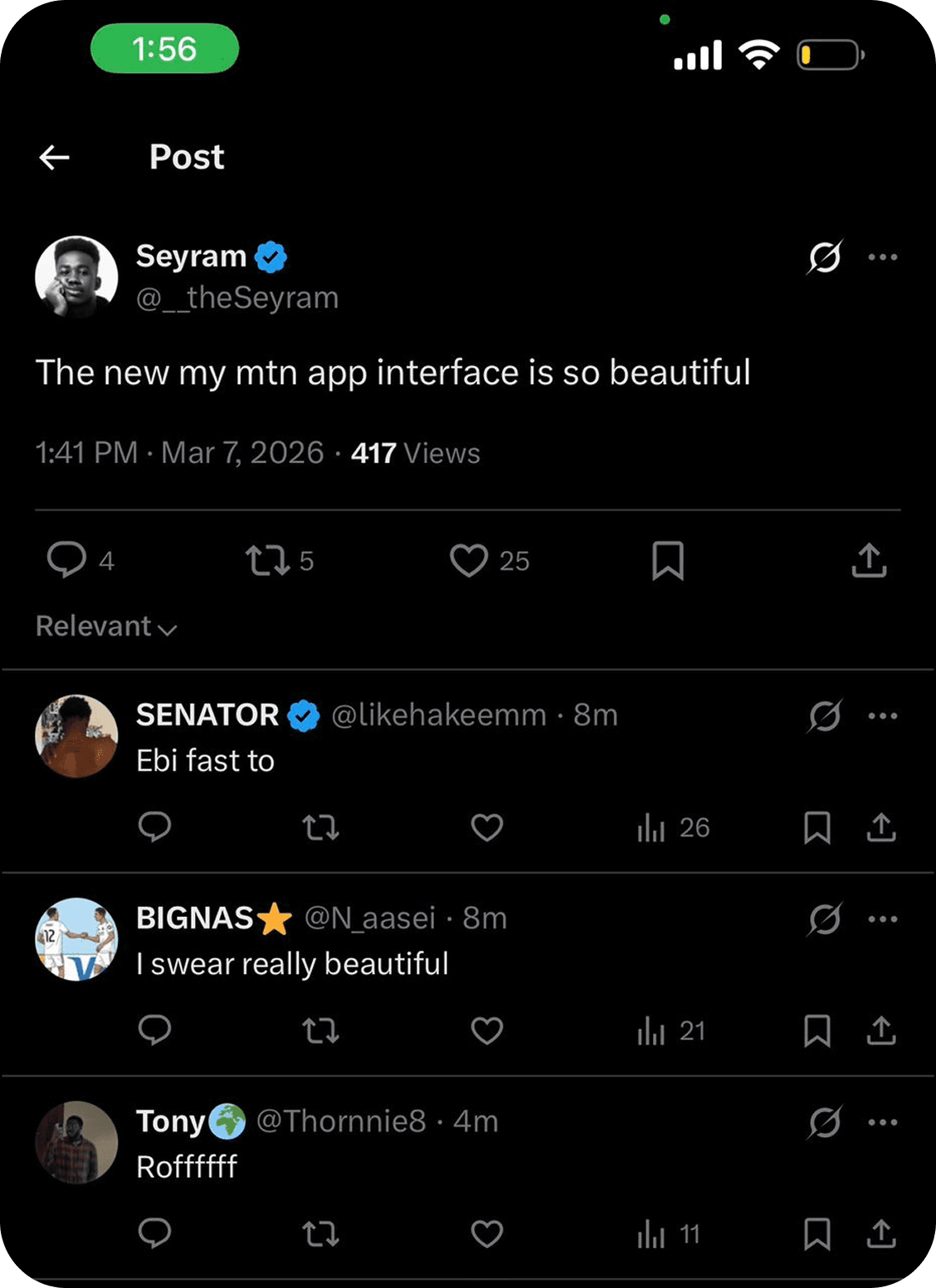
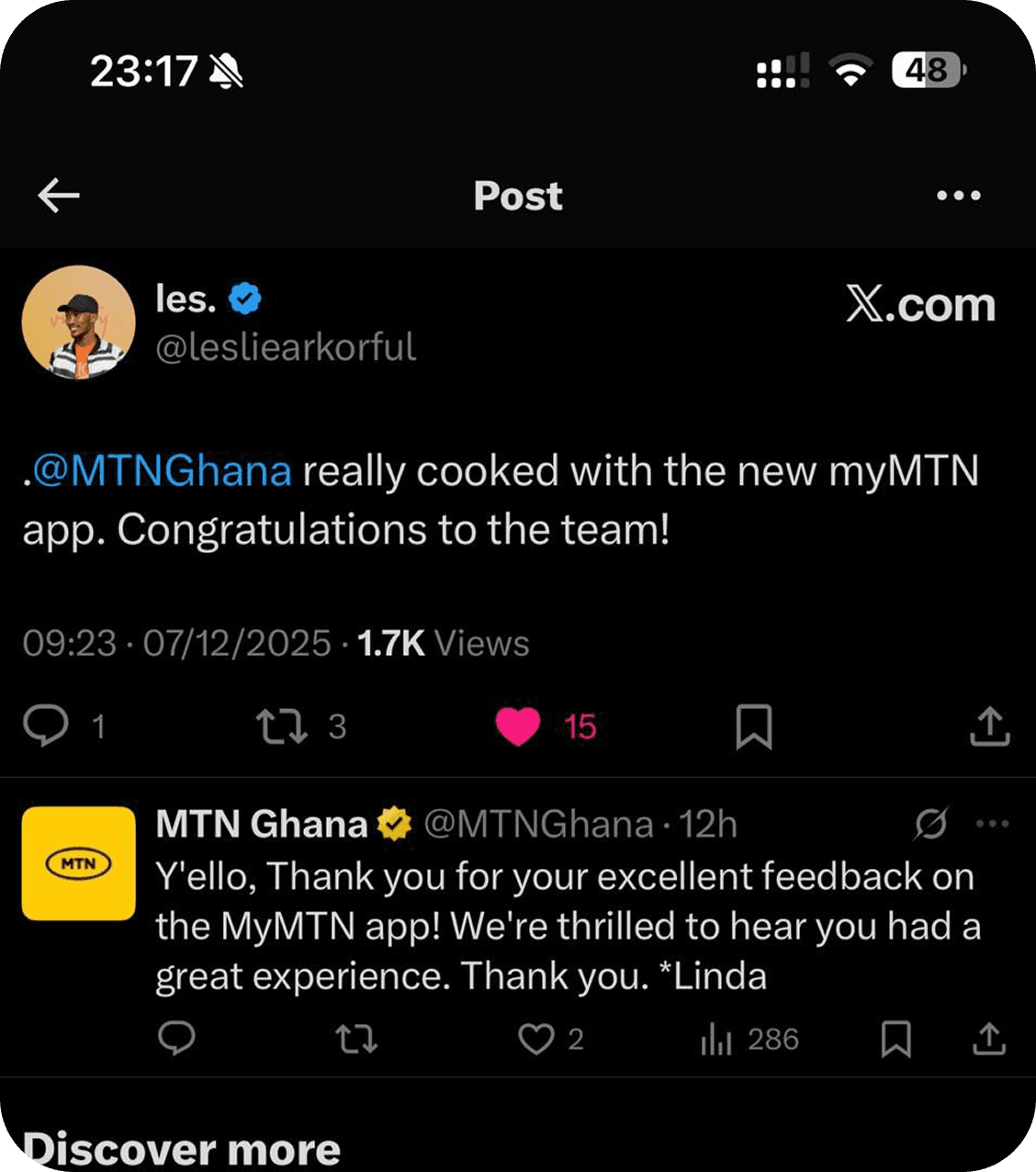
Safe to say, the masses were happy.
Social Media Comments
App Reviews
I just love the new update 👍🏾
The new UI is sleek. Transitioning from light mode to dark was all I asked for and you have implemented that.
Great design, and also try and redesign the agent momo app as well thanks
This new update is very impressive and easy navigate, keep up with the good upgrades
I love the updated user interface.
If I could rate the app 6 times, I'd not hesitate to do that. I've never experienced any challenges with this app. Kudos to the developers 👏
The revamped UI is so clean. 👌🏾
The People I Worked With
I collaborated (and still am) with a number of stakeholders on this initiative:
UX/UI Designers - as the team lead, I managed and steered my team to bring the solutions to life.
Business Analysts - with their help, we compiled all the prompt messages that occur within the app and the instances that trigger them.
Product Owners - we worked with them to prioritise the changes we wanted to make.
Developers - we designed, they developed.